How to Screen 1,000 Stocks in Under a Minute
Learn how to use Alphactor's universe scanner to filter thousands of stocks down to a focused shortlist using quantitative criteria.
 Marcus Chen4 min read
Why Screening Matters More Than Stock Picking
The stock market has roughly 6,000 publicly traded companies in the US alone. Nobody can research all of them. The investors who consistently find good opportunities are not smarter -- they are better at eliminating the 95% of stocks that do not fit their criteria, so they can spend their attention on the 5% that do.
Alphactor's screener lets you define quantitative filters, apply them to the full universe, and get a ranked shortlist in seconds. Here is how to use it effectively.
Step 1: Open the Universe Scanner
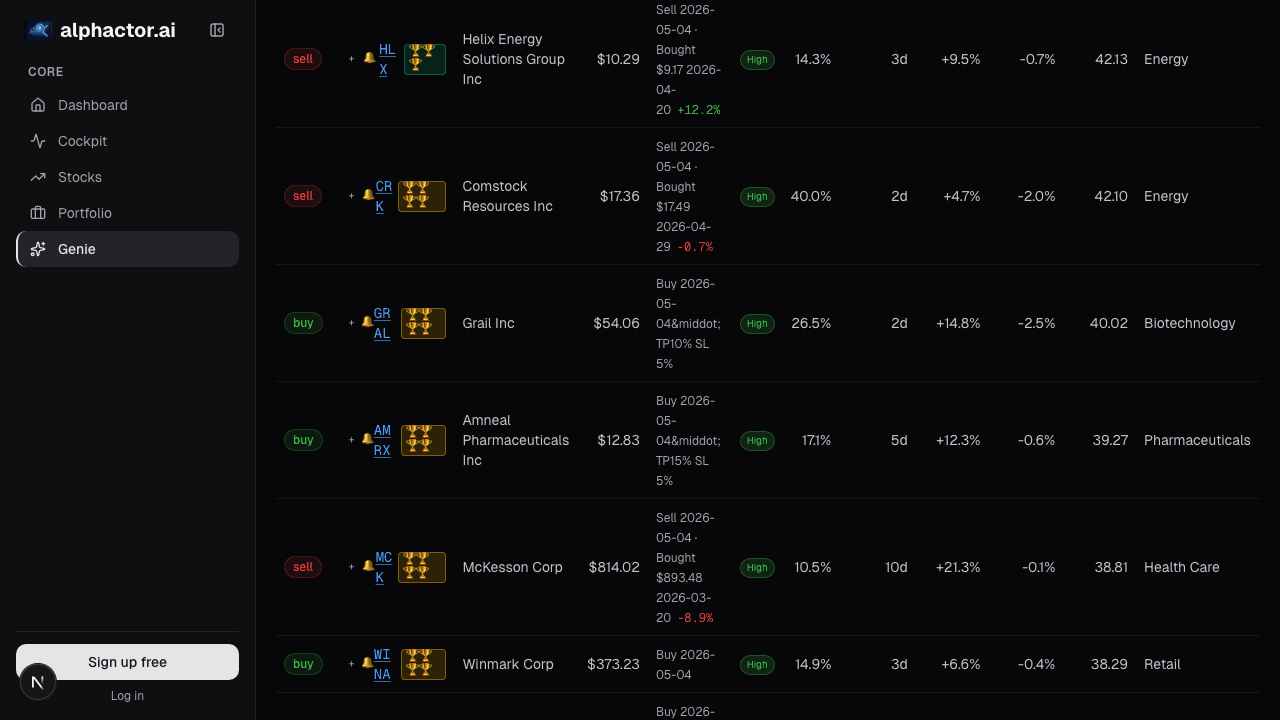
Open the universe scanner from the main sidebar. You will see the filter panel on the left and the results table on the right. The scanner runs against all stocks in the Alphactor universe, which includes US-listed equities with sufficient liquidity and data coverage.
Step 2: Pick Your Starting Filters
Start with 3-5 filters. Fewer is better at this stage because you are casting a net, not making a final decision. Here are some practical starting points depending on your style:
Value-oriented screen:
- Set P/E Ratio to a range of 5-20
- Set Free Cash Flow Yield to above 4%
- Set Debt-to-Equity to below 1.5
- Set Market Cap to above $1B (filters out micro-caps with thin liquidity)
Growth-oriented screen:
- Set Revenue Growth (YoY) to above 15%
- Set Gross Margin to above 40%
- Set Market Cap to above $500M
- Set Relative Strength to the top quartile
Each filter narrows the universe. The results count updates in real time as you add or adjust filters, so you can see how many stocks pass at each step.
Step 3: Sort and Rank the Results
Once your filters return a manageable list (ideally 20-50 names), sort the results by the metric that matters most to your thesis. Click any column header in the results table to sort ascending or descending.
If you are running a value screen, sorting by Free Cash Flow Yield descending puts the cheapest names at the top. For a growth screen, sorting by Revenue Growth shows the fastest growers first.
Step 4: Use the AI Conviction Score as a Tiebreaker
Alphactor assigns a conviction score to each stock based on a composite of fundamental, technical, and alternative data signals. You will see this as a numeric score in the results table.
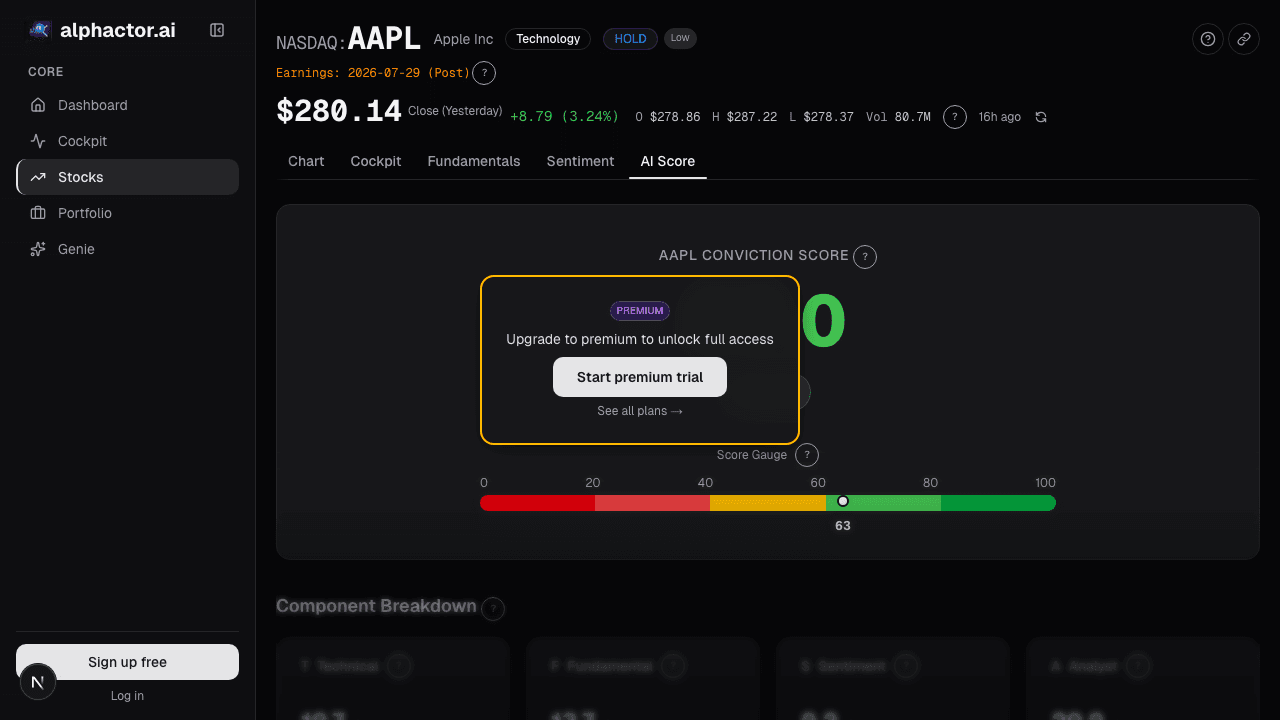
This score is not a buy signal. It is a ranking tool -- learn more about how it works in the conviction scoring view. When your screen returns 30 stocks and you only have time to research 10, sorting by conviction score helps you prioritize. Think of it as a second opinion from a model that has processed data you have not looked at yet.
Step 5: Save Your Screen
After dialing in filters that match your investing approach, save the screen using the Save button at the top of the filter panel. Give it a descriptive name like "Large-Cap Value FCF" or "Mid-Cap Growth Momentum." Saved screens persist across sessions, so you can re-run them weekly without rebuilding from scratch.
You can also set the screen to run on a schedule and deliver results to your alerts feed, so new matches surface automatically.
Step 6: Push Results to Your Watchlist or Portfolio
Select stocks from the results table and add them directly to a watchlist or portfolio using the action menu. This keeps your screening workflow connected to your tracking workflow -- no copying tickers into a spreadsheet.
Common Screening Mistakes to Avoid
Too many filters. If your screen returns zero results, you have over-constrained it. Remove the least important filter and try again. A screen with 10 criteria is more likely to reflect your biases than to find hidden opportunities.
Ignoring sector context. A P/E of 15 means different things in utilities versus software. Use sector-relative metrics when available, or run separate screens for different sectors.
Screening once and forgetting. Markets move. A stock that did not pass your screen last month might pass it today after a price drop. Run your saved screens regularly -- weekly is a good cadence for most investors.
Confusing screening with research. The screener gives you a shortlist. It does not give you a thesis. Every stock that passes your screen still needs qualitative analysis: read the earnings call, understand the competitive position, identify the risks. The screener saves you time on discovery so you can spend it on diligence.
Putting It Together
A practical weekly workflow looks like this: Run your saved screens on Monday morning. Review the top 10 results. Pick 2-3 names for deeper research during the week. By Friday, you have either added them to your portfolio dashboard with a thesis or moved on. Over time, this rhythm compounds into a much broader view of the market than headline-driven stock picking ever could.
See it in the app
Live dashboard views that match this post. Each tile deep-links to the exact card.
Stocks mentioned
Related reading
The 10-Minute Daily Stock Research Workflow
A structured daily routine for checking your portfolio, reviewing signals, and identifying new opportunities in under ten minutes.
How to Analyze a Company Before Earnings in 15 Minutes
A 15-minute pre-earnings checklist covering guidance revisions, balance sheet flags, and estimate dispersion using Alphactor tools: no deep-dive report needed.
Screener Filters: Composable Queries Over the Full Universe
Fixed-form screeners answer the most common queries and nothing else. A composable filter stack, fundamentals + technicals + sentiment + regime, with…
Screener Results: Ranking, Scoring
A filter that returns 87 names isn't useful yet. You need to know which 15 to look at first, by what criterion, and what to do with the ranking.
What Is a Stock Universe and How Smart Investors Use One
How defining a stock universe sharpens your research process, reduces noise, and helps you focus on opportunities that match your strategy.
Ready to try alphactor.ai?
Validate your trading strategies with statistical credibility testing. Start free.
Get Started Free