How to Track Congressional Stock Trades (And Why You Should)
How to use Alphactor's congressional trade tracker to monitor stock transactions disclosed by US lawmakers and incorporate them into your research.
 Marcus Chen4 min read
Why Congressional Trades Are Worth Watching
Members of Congress are required to disclose stock trades within 45 days under the STOCK Act of 2012. These disclosures are public record, and they reveal something unusual: the trading activity of people who sit on committees that directly influence the industries they invest in.
A senator on the Armed Services Committee buying defense stocks. A representative on the Energy Committee selling fossil fuel holdings before a regulatory announcement. These trades do not prove insider trading, and most are perfectly legal. But they represent a data source with a structural information advantage that is worth monitoring.
Multiple academic studies have found that congressional stock trades have historically outperformed the market on average. Whether that edge persists is debatable, but the data itself is free and publicly available. The congress tracker aggregates it into a usable format.
Step 1: Open the Congressional Trades Page
Navigate to Alternative Data in the sidebar, then select Congressional Trades. You will see a feed of recent disclosures with the following columns:
- Lawmaker name and chamber (House or Senate)
- Ticker and company name
- Transaction type (purchase or sale)
- Estimated amount range (disclosures report ranges, not exact amounts)
- Transaction date and disclosure date
- Committee memberships for the lawmaker
The feed updates as new disclosures are filed and processed.
Step 2: Filter for the Trades That Matter
Not every congressional trade is meaningful. Many are routine portfolio rebalancing, spousal transactions, or small amounts in diversified funds. Focus your attention with filters:
- Set Transaction Type to purchases only (buying is a clearer conviction signal than selling, which has many non-informational reasons)
- Set Amount to above $50,000 to filter out noise
- Filter by Committee Relevance -- Alphactor flags trades where the lawmaker sits on a committee with jurisdiction over the company's industry
- Optionally filter by Chamber or specific lawmakers you follow
The committee relevance flag is the most useful filter. A trade by a lawmaker with no committee connection to the industry is much less interesting than one where there is a direct oversight relationship.
Step 3: Check the Timing
The gap between the transaction date and the disclosure date matters. Look at both:
- Transaction date: when the trade actually happened
- Disclosure date: when the filing appeared publicly
If the stock moved significantly between these two dates, the information value of the disclosure is reduced because the market may have already repriced. Alphactor calculates the return since transaction so you can see whether the move already happened.
Trades disclosed quickly (within a few days) are generally more actionable than those filed at the 45-day deadline.
Step 4: Cross-Reference with Other Data
Congressional trade data is most useful as a confirming signal, not a standalone strategy. Here is how to combine it with your existing workflow:
- When you find a congressional purchase that interests you, open the stock's detail page in Alphactor
- Check the conviction scoring -- does the quantitative model agree with the lawmaker's implied bullishness?
- Review the 13F explorer to see if institutional investors are also buying
- Run the stock through your saved screener to verify it passes your quantitative criteria
A stock where a relevant committee member is buying, institutions are accumulating, and your screener gives a green light is a stronger candidate than any of those signals alone.
Step 5: Set Up Congressional Trade Alerts
To stay current without checking the feed manually:
- Go to Alerts in the sidebar
- Create a new Event alert
- Select Congressional Trade as the event type
- Filter by minimum amount, committee relevance, or specific tickers you are watching
- Choose your delivery channel
A practical setup: alert on all purchases above $50,000 with committee relevance flagged. This typically generates a handful of alerts per month -- enough to be useful, not enough to be noisy.
Step 6: Track Performance Over Time
Alphactor tracks the forward returns of congressional trades after disclosure. On the Congressional Trades page, you can view:
- Average return at 30, 60, and 90 days post-disclosure
- Performance broken down by lawmaker, committee, and party
- Comparison against the S&P 500 over the same periods
This data helps you calibrate how much weight to give congressional trades in your own process. If a particular lawmaker has a strong track record, their future trades warrant more attention. If another consistently underperforms, you can filter them out.
A Realistic Perspective
Congressional trade tracking is alternative data, not a crystal ball. The disclosure delays limit real-time usefulness, the amount ranges are imprecise, and correlation with committee membership does not prove causation. Treat this data as one signal among many. When it aligns with your fundamental and quantitative analysis, it adds conviction. When it contradicts everything else, it is worth noting but not worth overriding your process.
See it in the app
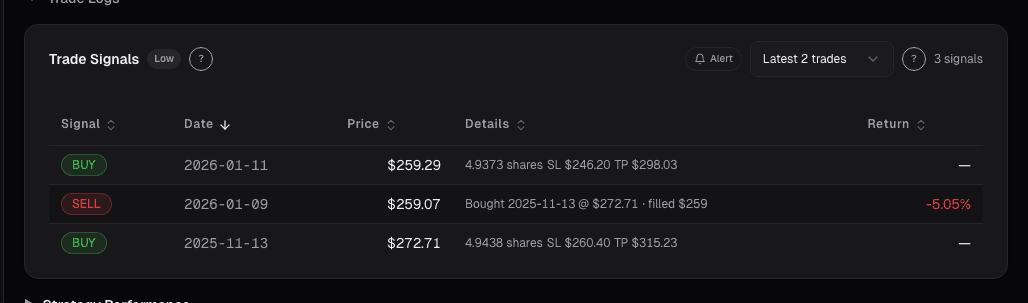
Live dashboard views that match this post. Each tile deep-links to the exact card.
Related reading
Congress Diff: What Legislators Bought and Sold This Quarter
One senator's $50k buy isn't a thesis. Thirty members of Congress netting positive in Big Tech while netting negative in regional banks is, because the…
House Trades: Per-Ticker Flow From the Lower Chamber
Representatives trade under the STOCK Act like senators, but House flow has a different character, shorter terms, narrower districts, and more industry…
Congress Live Activity: Legislator Trades in Near-Real-Time
Congress Live Activity aggregates STOCK Act filings with jurisdictional flags and cluster alerts, turning scattered PDFs into a scannable daily signal.
Senate Trades: The Upper Chamber's Equity Flow
Senate committee-overlap signal is stronger than House trades. One-sided flow from Armed Services or Banking members is highest-information political signals.
Congressional Trades on a Single Stock
The 'Congress outperforms the market' story hides where the actual signal is. It's not aggregate Congressional portfolios, it's a single committee chair's…
Ready to try alphactor.ai?
Validate your trading strategies with statistical credibility testing. Start free.
Get Started Free