3 Universe Scanner Workflows for Finding Your Next Trade
Practical workflows using Alphactor's Universe Scanner to find actionable buy and sell signals, sector rotations, and high-credibility setups.
 Marcus Chen4 min read
Beyond Basic Stock Screening
Traditional stock screeners filter by static criteria: P/E below 15, market cap above $10 billion, revenue growth positive. These are useful starting points, but they tell you nothing about timing. A stock can be fundamentally attractive for months before a catalytic move.
Alphactor's universe scanner operates differently. It runs validated trading strategies across a broad universe of stocks and produces actionable signals: Buy, Hold, Sell, or Observe.
Each signal is backed by a strategy that has been through the credibility pipeline. When the scanner says "Buy," it means a credible strategy has generated an entry signal on that ticker right now.
Here are three concrete workflows that make the scanner a daily tool rather than an occasional curiosity.
Workflow 1: The Morning Signal Scan
This is the simplest and most frequent workflow. You open the Universe Scanner's Browser tab first thing in the morning, and within 30 seconds you know which stocks have fresh signals.
Step 1. Select your risk profile: conservative, balanced, or aggressive. This determines which strategies are prioritized. Conservative profiles favor strategies with lower drawdowns and higher win rates. Aggressive profiles weight total return more heavily.
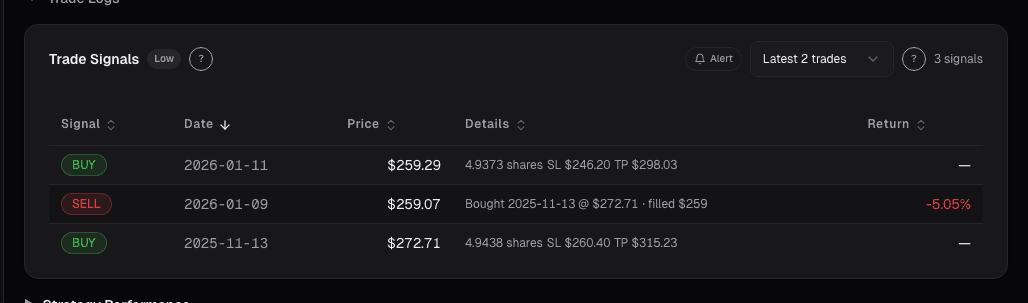
Step 2. The default filter shows Buy and Sell signals only, which represent actionable trades. The table displays each ticker with its signal state, price, credibility tier, strategy score, and position details. Buy signals include the recommended entry price and exit parameters (take profit and stop loss percentages). Sell signals include the entry price, entry date, and unrealized return.
Step 3. Sort by strategy score to see the highest-conviction signals first. A score above 7 with a High credibility tier means the underlying strategy passed all six credibility layers and the current signal is consistent with its historical pattern.
Step 4. Click any row to expand it and see the strategy metadata: return, max drawdown, Sharpe ratio, win rate, profit factor, and entry/exit modes. You can add any ticker directly to your watchlist or create a trade alerts signal alert from the action buttons on each row. That morning scan just populated your trading agenda for the day.
Workflow 2: Sector Rotation via the Heatmap
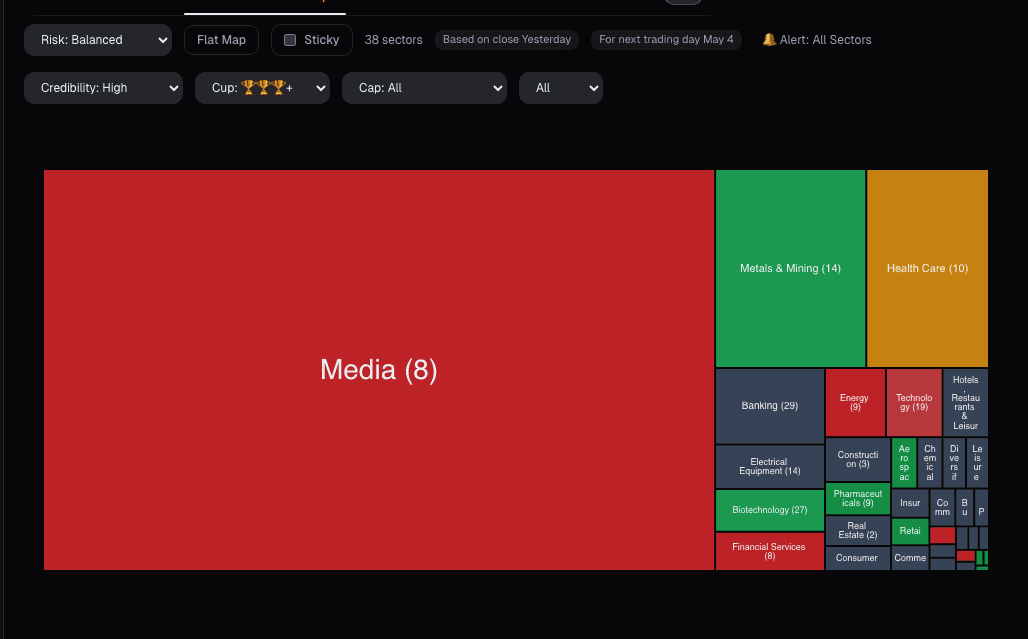
The Heatmap tab turns the entire universe into a visual map of signal density. Instead of scanning individual tickers, you see which sectors are generating the most buy or sell signals. This is how you spot rotations early.
Step 1. Open the Heatmap tab and set your risk profile. The default view shows sectors as color-coded blocks. The size of each block represents the number of stocks in that sector. The color intensity represents the proportion of actionable signals.
Step 2. Filter by credibility. Set the minimum credibility tier to High to focus on statistically credible setups only.
Step 3. Click into a sector to drill down. If the Technology sector is showing strong buy signal density, clicking it reveals individual tickers with their signal state, price, and strategy score.
Step 4. Compare to last week. If Healthcare had minimal buy signals last week but now shows a concentration of them, a rotation may be underway. The heatmap makes these patterns visible at a glance.
The Flat Map mode (Premium) shows every ticker simultaneously. You can subscribe to sector-level alerts directly from the heatmap so you are notified when new signals appear.
Workflow 3: Building a Sub-Universe for Focused Tracking
The full universe covers hundreds of stocks. If you have a specific thesis, such as small-cap value or large-cap momentum, you do not need to scan everything every day. Sub-universes let you save a filtered view and track it over time.
Step 1. In the Browser tab, configure your filters. Set a market cap range (for example, under $2 billion for small-cap). Set a minimum credibility tier. Optionally filter by sector or signal state.
Step 2. Save this filter set as a sub-universe. Give it a name like "Small-Cap Value Signals" so you can load it with one click next time.
Step 3. Subscribe to alerts on the sub-universe. The platform will notify you when new buy or sell signals appear within your saved filter set. You are now passively monitoring a targeted slice of the market without manually scanning.
Step 4. Check the Signal Trends tab with your sub-universe loaded. The trends view shows how signal density within your filter set has changed over time. If buy signals in your small-cap value sub-universe have been increasing over the last 30 days, that trend is worth investigating. If they are declining, the thesis may be losing momentum.
Connecting the Workflows
These three workflows complement each other. The morning signal scan gives you today's actionable trades. The heatmap shows you where momentum is building or fading across sectors. Sub-universes let you track specific themes without drowning in the full dataset.
The common thread is that every signal in the Universe Scanner is backed by a strategy that passed credibility testing. You are not scanning on raw price patterns or unvalidated indicators. You are working with signals that have statistical evidence behind them. That distinction turns a screener from a brainstorming tool into a decision-support system.
See it in the app
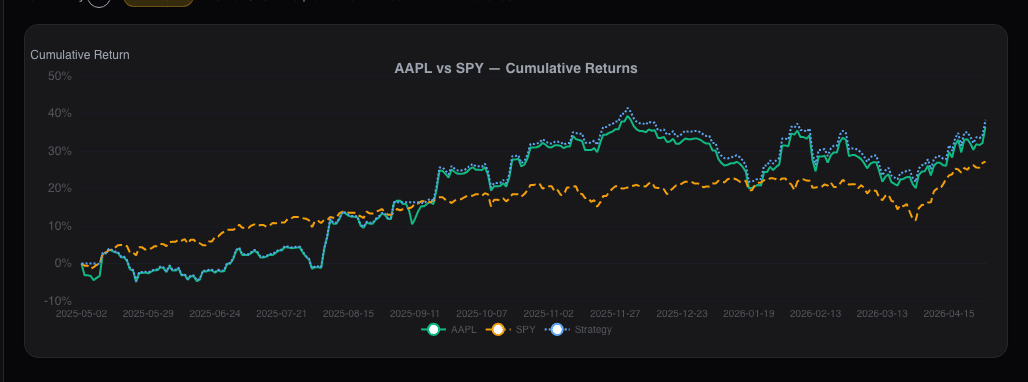
Live dashboard views that match this post. Each tile deep-links to the exact card.
Stocks mentioned
Related reading
The 10-Minute Daily Stock Research Workflow
A structured daily routine for checking your portfolio, reviewing signals, and identifying new opportunities in under ten minutes.
Price Alerts That Fire at the Right Time: Not Every Time
Generic price alerts fire on ticks that revert. Close-based triggers and ATR-normalized distance cut daily alert count from 14 to 2 that actually matter.
Regime-Aware Strategy Selection
Markets cycle through trends, ranges, and shocks. Learn how regime detection drives which strategy runs, and why a mixture of experts beats a single static…
Screener Filters: Composable Queries Over the Full Universe
Fixed-form screeners answer the most common queries and nothing else. A composable filter stack, fundamentals + technicals + sentiment + regime, with…
Screener Results: Ranking, Scoring
A filter that returns 87 names isn't useful yet. You need to know which 15 to look at first, by what criterion, and what to do with the ranking.
Ready to try alphactor.ai?
Validate your trading strategies with statistical credibility testing. Start free.
Get Started Free